PIRL Experimental / Teacher How-To
AI Word Wall & Vocabulary Practice
A repeatable workflow for moving from curriculum materials to wall-ready cards, flash cards, mixed retrieval practice, and a richer classroom information environment.
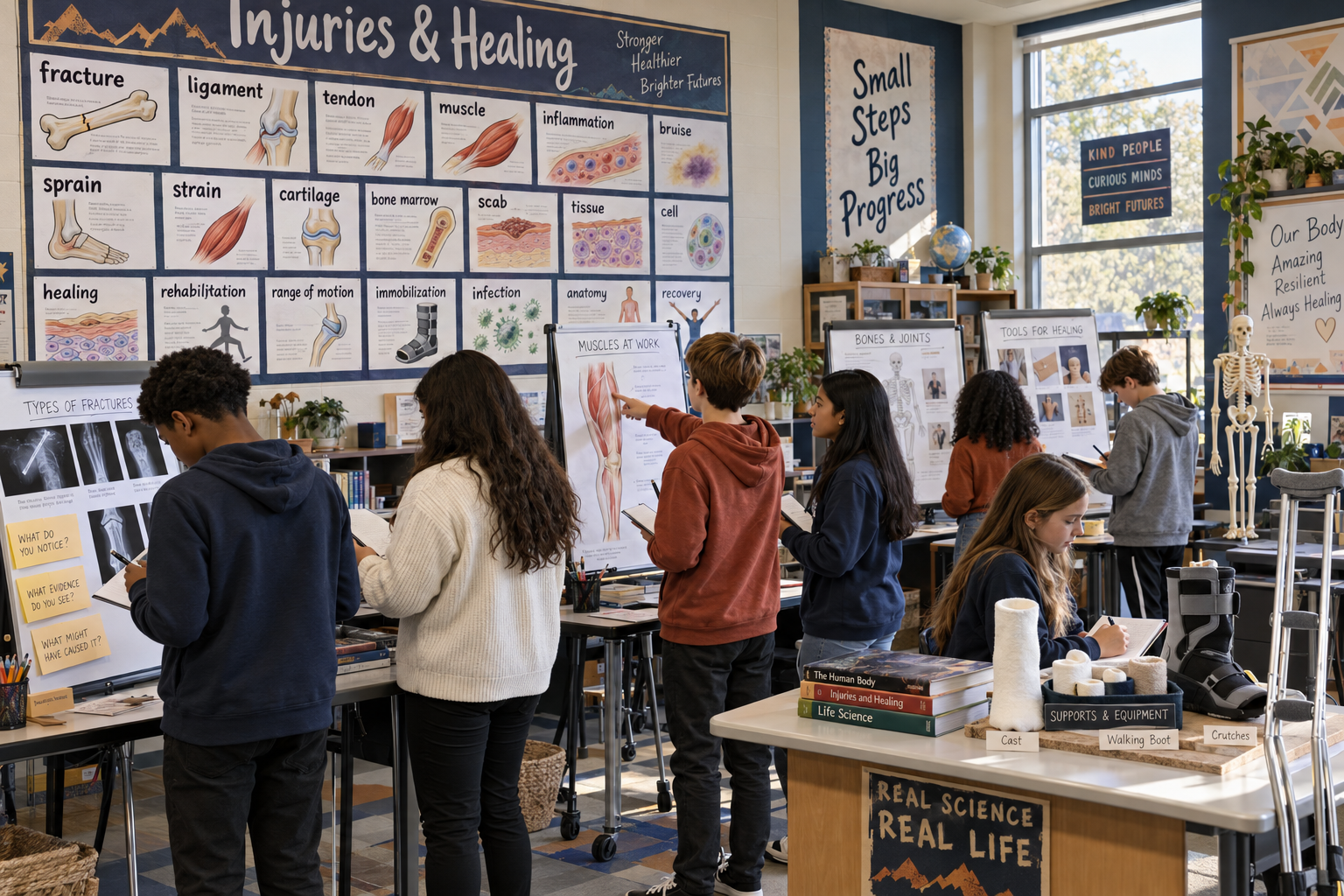
The idea: build the vocabulary once, then reuse it everywhere
A printable word wall is useful. A word wall that also powers an interactive practice tool is much better. The key is to treat the vocabulary list as reusable classroom content—not as a one-time PDF. The same term, student-friendly definition, image, lesson stage, and practice clue can become a wall card, flash card, multiple-choice prompt, information-station resource, or part of a unit storyboard.
That is what we did for an Injuries and Healing unit. We started with an existing 60-card set, studied the unit materials, expanded the vocabulary to 108 cards, matched the original visual style, corrected the typography for across-the-room readability, and reused the same vocabulary in an interactive practice experience.
The quick version
- Give AI the unit materials and ask for a lesson-by-lesson vocabulary audit.
- Build one master vocabulary table with terms, definitions, images, categories, and lesson timing.
- Lock a card design system before generating dozens of pages.
- Print-test a small sample for wall readability and visual consistency.
- Reuse the same vocabulary data in flash cards, mixed practice, and application questions.
- Offer notebook flash cards when students need a tactile or screen-free option.
- Keep the physical and digital supports connected to the same classroom experiences.
1. Start with the curriculum—not a generic vocabulary list
The first pass should be a curriculum audit. Upload the unit overview, lesson materials, launch documents, student-facing medical reports, teacher guide, or any resource students will encounter. Ask AI to identify both standards-aligned vocabulary and access vocabulary: the medical or technical words that may not be assessed but could stop a student from understanding the task.
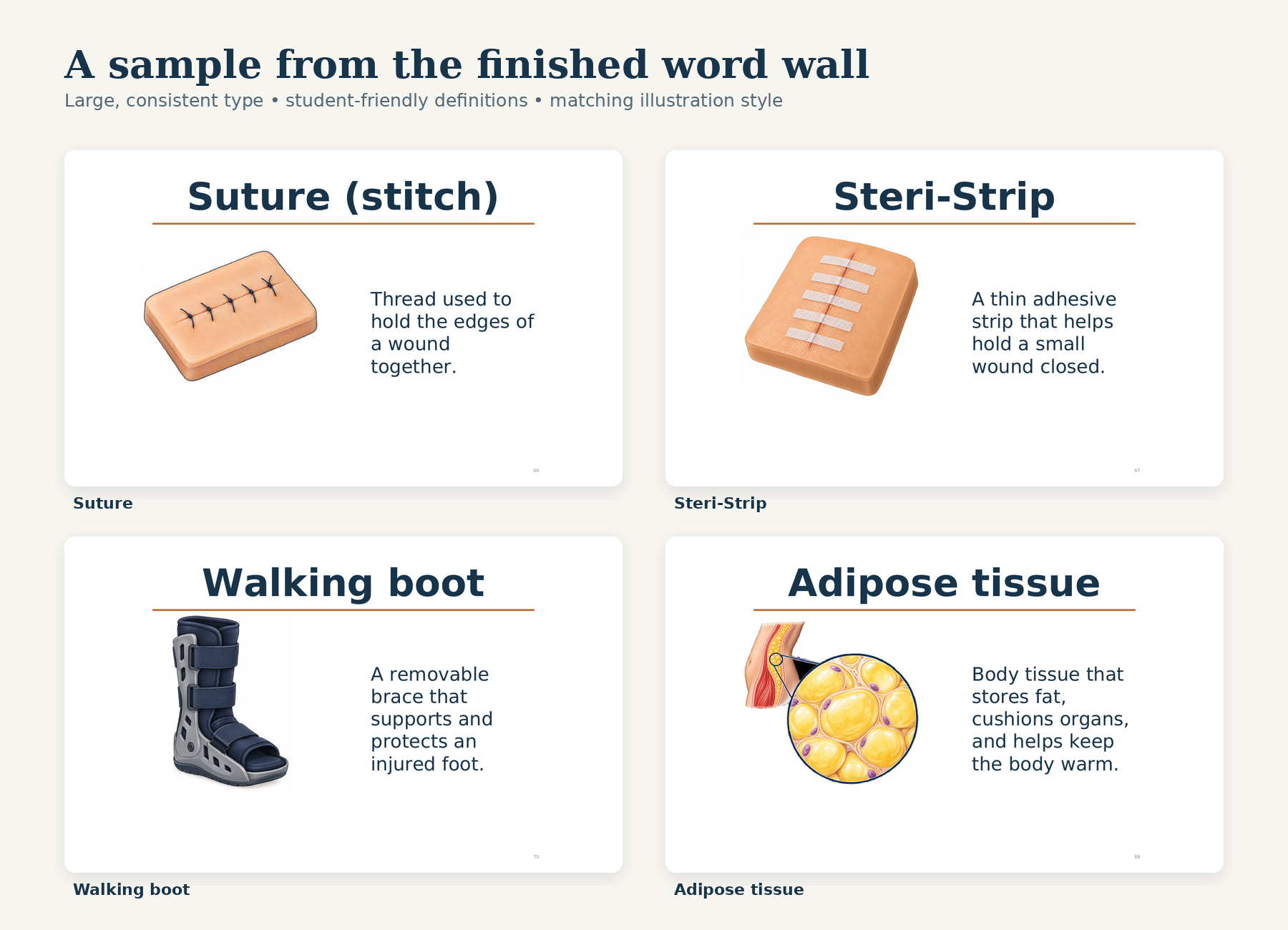
For this unit, that meant a deep dive into Lesson 1, where students encounter medical language, and a medium scan of every later lesson. Terms such as suture, Steri-Strip, walking boot, adipose tissue, growth plate, and immobilization matter because students see them in the storyline—even when those terms are not part of the official performance expectation.
2. Build one master vocabulary table
Before designing anything, put the content into a structured table. This becomes the source of truth for every later product. A useful record includes the term, definition, unit stage, category, illustration idea, image description, pronunciation or audio text, a picture-focus clue, and a short application scenario.
| Field | Example | Why it matters |
|---|---|---|
| Term | Suture | Keeps spelling and naming consistent. |
| Student definition | Thread used to close a cut. | Becomes the wall card and flash-card answer. |
| Unit stage | Launch / early | Lets teachers reveal and practice words gradually. |
| Picture clue | Notice the thread pulling the skin edges together. | Directs attention when one image contains many details. |
| Application | A doctor closes a deep cut with thread. What is it called? | Turns recognition into use of the idea. |
3. Write definitions for where students are in the storyline
A definition can be correct and still be unhelpful. Definitions for a wall should be brief, concrete, and understandable without another dictionary. Avoid circular definitions and limit each card to one central idea. Then decide whether a concept changes meaning as students learn more.
Healing is a good example. Early in the unit, students can use: “The body’s process of repairing damage.” Later, after cell division has been developed, the class can refine the idea: “The body uses cell division to replace dead or damaged cells.” Both are useful because they match different points in the learning progression.
4. Lock the visual system before generating the full set
Choose a small sample of existing cards that already work. Ask AI to match their orientation, whitespace, title position, definition placement, line weight, page number, image realism, and color treatment. If the original set uses semi-realistic educational illustrations, a new cartoon image will feel like it belongs to a different resource—even if the vocabulary is correct.
Generate a few difficult examples first: a long term, a multi-line definition, a medical tool, and a microscopic structure. Approve those before producing the remaining cards. This prevents a small design problem from multiplying across forty or fifty pages.
5. Design for the wall, not the laptop screen
This was the most important revision in our process. The first new cards looked fine on a monitor, but the text was too small to read comfortably from the back of the room. We kept the 69-point titles and the established image size, then rebuilt every definition at a consistent 48 points. Longer definitions use additional vertical lines instead of a smaller font.
Do not rely on “looks about right.” Print two or three cards at actual size, tape them to a wall, and stand where students sit. Check long words, multi-line definitions, contrast, image size, and whether the font remains consistent from the first card to the last.
6. Turn the same vocabulary into a practice simulator
Once the vocabulary exists as structured data, the digital tool becomes a transformation problem—not a second content-writing project. Ask AI to use the exact same terms, definitions, images, and lesson stages. That protects consistency: students should not meet one definition on the wall and a slightly different one online.
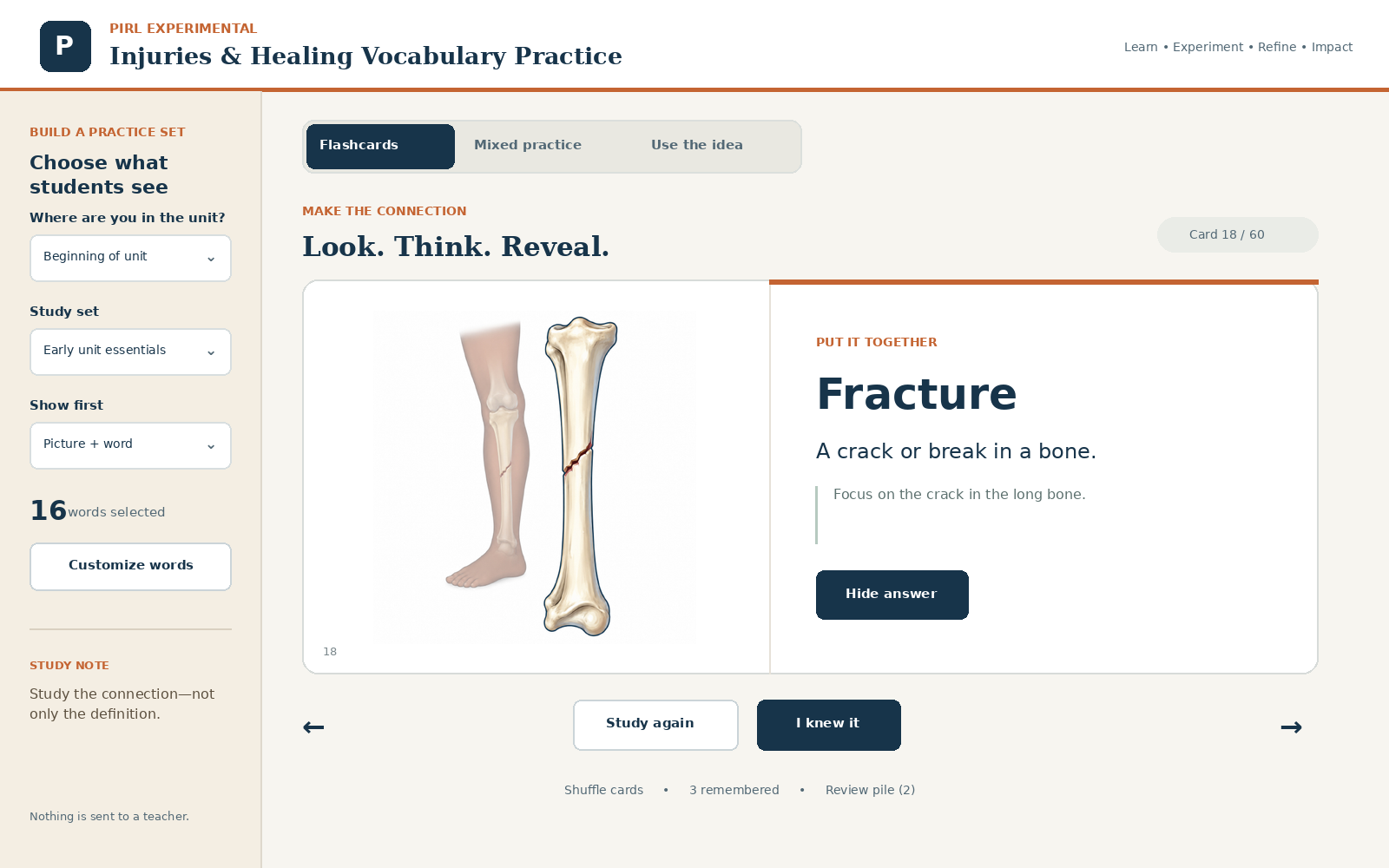
Our practice tool lets a teacher or student choose a unit stage, a study set, and what appears first. The flash-card view connects the image, word, definition, and a focus clue. Students can reveal the answer, mark the word for more study, shuffle, and revisit a review pile.
Use more than one retrieval direction
Traditional flash cards often move only from word to definition. A stronger practice tool changes the direction of retrieval. Students should sometimes see the picture, sometimes the definition, sometimes the word, and sometimes a short situation. That variation helps reveal whether they know the idea or only recognize one familiar card.
| Mode | Student action | Purpose |
|---|---|---|
| Flash cards | Look, think, reveal, and self-rate. | Build the basic connection among word, image, and meaning. |
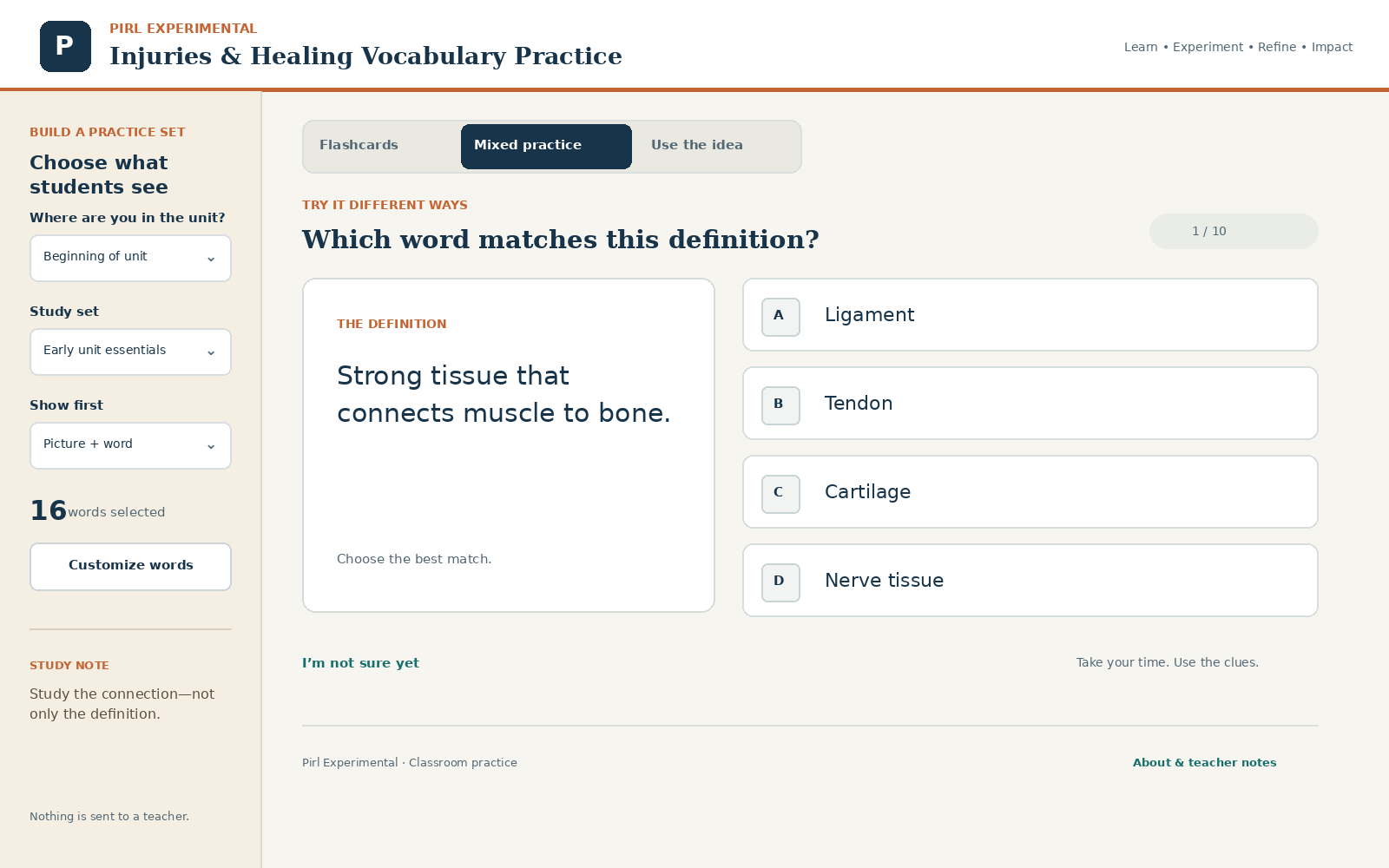
| Mixed practice | Match words, definitions, and pictures in changing directions. | Reduce dependence on one memorized cue. |
| Use the idea | Choose a word that explains a short science or medical situation. | Move from recall toward application. |
7. Keep a low-tech version in the notebook
The simulator grew from a paper notebook system I had already used. Students received small vocabulary cards printed 16 to a letter-size page. One face showed the word. The matching face showed the word again, a student-friendly definition, and a picture. After the cards were assembled and cut, students stored the set in a simple paper envelope taped inside their science notebook.
The physical version is still worth keeping. It gives students a screen-free option, makes partner quizzing easy, and provides tactile support for students who benefit from resource services, an IEP accommodation, multilingual support, or repeated practice with a smaller set of words. It can be offered to any student, while being assigned intentionally when a physical routine will work better than another digital tool.
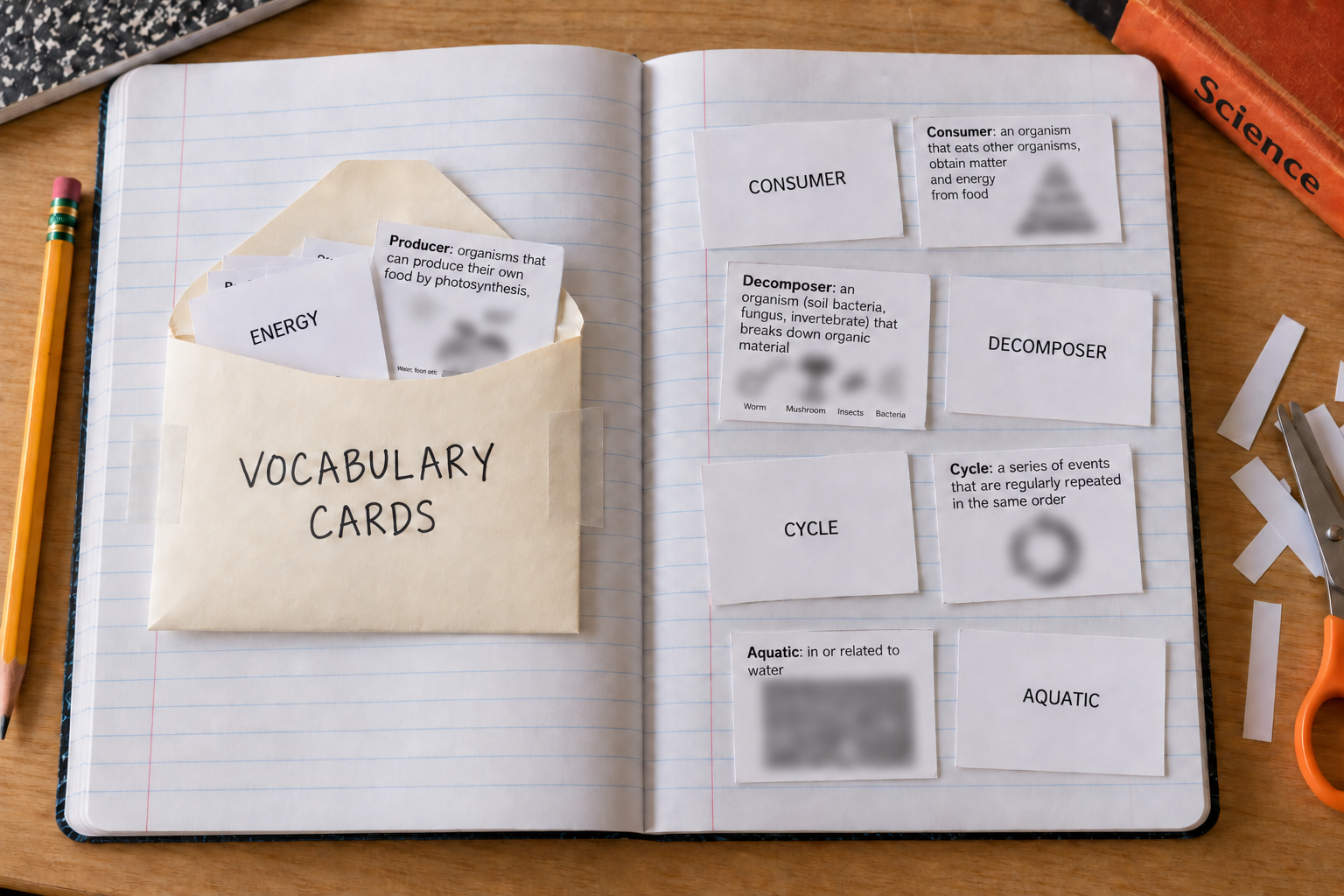
How to make the notebook cards
- Create a word-only front for every term. Keep the type large, centered, and easy to scan.
- Create a matching back with the term, a short definition, and one useful picture. Arrange the back page in the mirrored order needed to line up with the fronts.
- In the print dialog, choose letter paper and 16 pages per sheet. Black-and-white printing is fine when the pictures remain understandable without color.
- Print one test sheet before making a class set. Duplex settings and edge-flipping differ by printer. If the fronts and backs do not align, print them separately, pair the matching pieces, and attach them before cutting.
- Cut the sheet into 16 cards. A paper cutter makes the process faster, but scissors work for individual sets.
- Fold a simple envelope from regular paper or use a small purchased envelope. Tape it securely inside the notebook and label it Vocabulary Cards.
How students can practice
- Look at the word, say the meaning aloud, and flip the card to check.
- Study from the picture-and-definition side and retrieve the vocabulary word.
- Sort cards into Know It, Almost, and Review Again piles.
- Have a partner quiz from either side, then explain how the word connects to the current lesson.
- Carry only the words from the current lesson in the envelope and add new cards as the unit develops.
The paper cards and the simulator do not compete with each other. They are two versions of the same reviewed vocabulary system. The simulator makes practice easy to distribute and update; the notebook set provides a durable, low-tech alternative for students who need or prefer it.
8. Go beyond a wall: build a classroom information environment
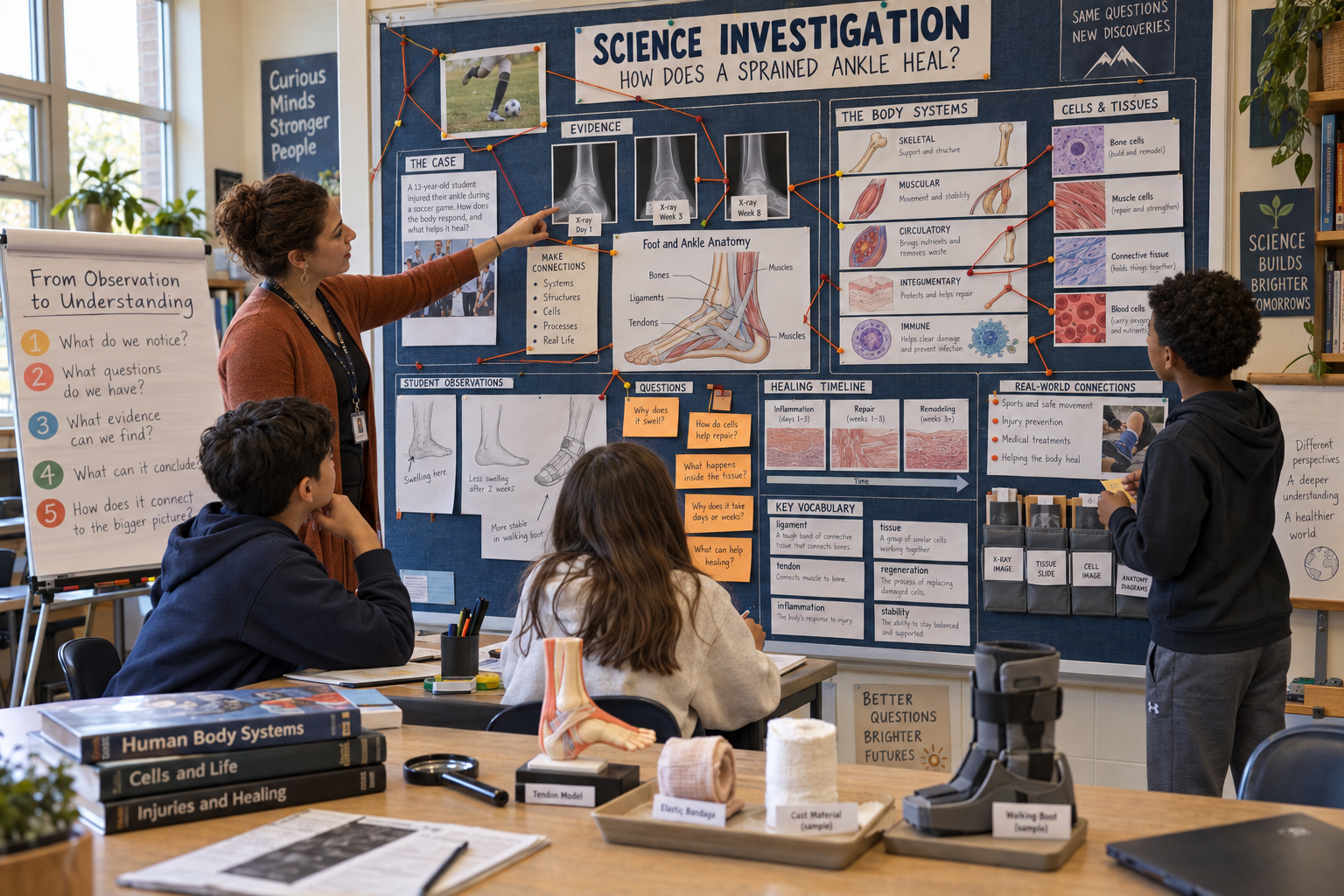
The best use of these cards is not a perfectly arranged wall that students never touch. Place the words near the experiences that give them meaning. A word such as walking boot belongs near the actual boot or photo. Suture and Steri-Strip can sit beside a medical-report station. Adipose tissue belongs with cross-sections, tissue images, and questions about what is under the skin.
A unit storyboard can hold the evolving explanation of the phenomenon: images, artifacts, student questions, diagrams, vocabulary, timelines, claim-and-evidence notes, and connections among systems. It can have the visual energy of an investigation board while remaining clearly scientific, age-appropriate, and evidence-centered.
9. Quality-control checklist
Before printing or publishing, review the complete system—not only individual cards.
- Content: Every definition is accurate, student-friendly, and consistent across print and digital products.
- Scope: The set includes both standards vocabulary and access vocabulary from documents, artifacts, and procedures.
- Progression: Early and later definitions are intentionally different when the unit develops a more precise mechanism.
- Typography: Every title and definition uses the approved sizes; no outlier was silently shrunk.
- Visual consistency: New images match the original style, cropping, realism, and classroom appropriateness.
- Print test: Sample cards are readable at actual size from typical student seating.
- Accessibility: Color is not the only cue; text has strong contrast; controls work with a keyboard; images have useful descriptions.
- Privacy: The practice tool does not require names, accounts, or unnecessary student data.
- Licensing: Source materials and image rights permit the intended reuse, and adaptations are credited when required.
- Classroom fit: Teachers can reveal vocabulary in stages, customize a set, and connect cards to real unit experiences.
What AI is especially good at—and what the teacher must keep
AI is excellent at scanning large amounts of curriculum text, finding overlooked terminology, generating consistent drafts, producing dozens of repeated layouts, and converting one dataset into several practice formats. It also makes revision cheap: changing a definition once can update a card, a flash card, and a quiz prompt.
The teacher’s work is the judgment layer. Which terms will create access? Which definitions match the storyline? Which visuals are safe and clear? Which words should appear now and which should wait? Is the font truly visible across the room? AI can accelerate the work, but those decisions are what make the resource instructionally useful.
A reusable prompt sequence
If you want to reproduce the process, use separate prompts in this order:
- Audit the unit for core, access, and technical vocabulary.
- Draft and teacher-review the master vocabulary table.
- Match a small card sample to the existing visual system.
- Generate the full printable set and run a font/readability audit.
- Reuse the approved data in flash-card, mixed, and application practice.
- Test the print file and interactive tool with real classroom constraints.
Final thought
A word wall should not be classroom wallpaper. It should stay connected to the unit’s artifacts, questions, and retrieval practice. AI makes the production manageable; thoughtful teaching makes the system worth using.
Resource credit: Vocabulary selection was informed by OpenSciEd Unit 6.6, Version 1.0 (2022), licensed CC BY 4.0, and by teacher-created modification materials. Definitions were rewritten and condensed. The three classroom scenes are AI-generated illustrations. The notebook-card scene intentionally blurs miniature source images that were not cleared for republication. The word-wall and practice-tool images show resources created for this project.
Return to top ↑